How to Embed a YouTube Video in Notion (and Make It Look Good)
I use Notion for course notes, and half my pages have a YouTube video at the top. It's the easiest way to keep a lecture and the notes about it in one place. Notion does most of the work for you, but there are a couple of small quirks that are worth knowing, especially the one where you paste a link and get a plain bookmark card instead of a video.
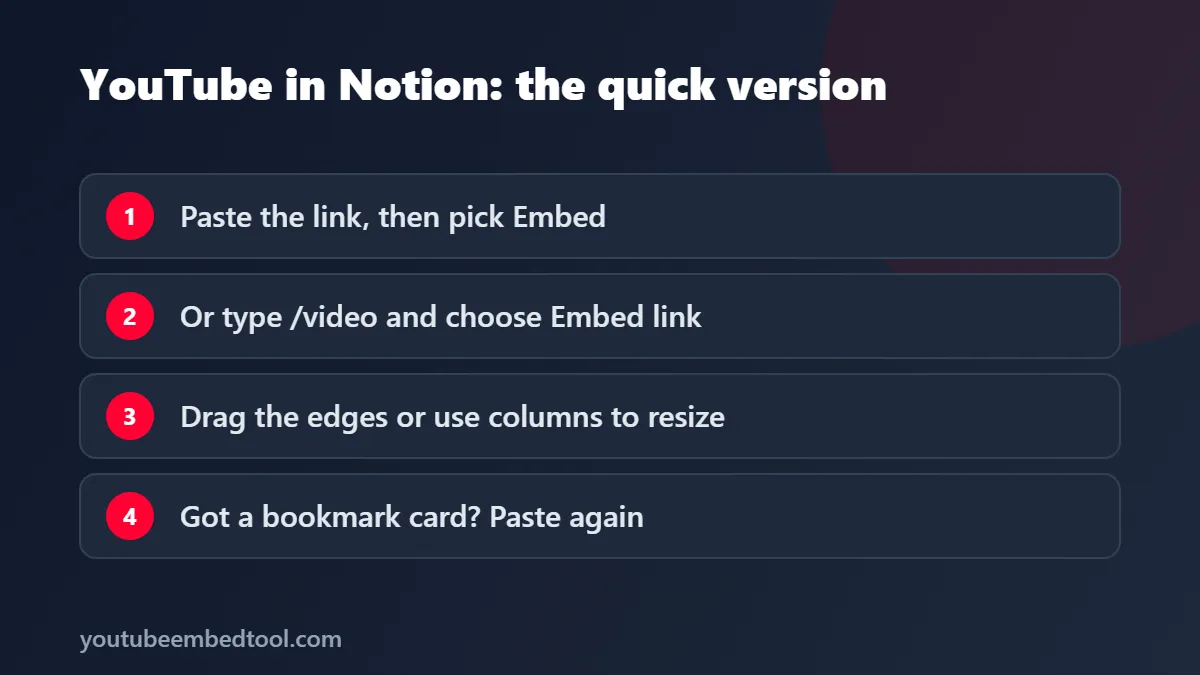
The fastest way: paste and pick "Embed"
- Copy the video link from YouTube. The address bar URL works, and so does the Share link.
- Click an empty line in your Notion page and paste it.
- A small menu pops up with options like Embed, Bookmark and URL (the exact wording changes a little between versions). Choose Embed.
That's it. You now have a working player right in the page.
If you clicked away before the menu appeared, Notion usually leaves the link as plain text. Just delete it and paste again, then wait a second for the menu.
The slash-command way
If you like the keyboard, type /video and press Enter. Notion adds an empty video block. Click it, choose Embed link, paste your YouTube URL, and click Embed video.
I prefer this method for templates, because you can drop in an empty video block now and fill it in later.
Resize it and put it next to your notes
A full-width video on a laptop can be huge. A few ways to tame it:
- Drag the edges. Hover over the video and grab the little handles on the left or right side to make it narrower.
- Use columns. Drag the video block by its six-dot handle to the right side of a text block until you see a blue vertical line. Let go and Notion creates two columns: video on one side, notes on the other. This is great for following along with a tutorial.
- Put it in a toggle. Type
/toggle, then drag the video inside. The page stays tidy and the video only shows when you open it.
Start the video at a specific moment
Notion doesn't give you a "start at" box like Google Slides does. The trick is to use a link that already has the time in it. On YouTube, right-click the video at the moment you want and choose Copy video URL at current time, or add ?t=120 to the end of a youtu.be link for two minutes in.
If Notion ignores the time on your setup, the embed-style link usually works: https://www.youtube.com/embed/VIDEO_ID?start=120. Our timestamp link generator will build either kind for you, and the video ID finder pulls the ID out of any YouTube URL.
When the video won't play
A few things cause most of the trouble:
- You got a bookmark, not an embed. A bookmark is a card with a title and thumbnail. Clicking it opens YouTube in a new tab. Delete it and paste again, picking Embed this time.
- The owner turned off embedding. You'll see an error inside the player. There's nothing you can fix on your side. Our post on YouTube embed errors explains the codes.
- The video is private. Private videos won't play for anyone else. Unlisted videos work fine.
- Age-restricted videos usually ask you to watch on YouTube instead of playing in the page.
- Shorts links. Older versions of Notion sometimes choke on
youtube.com/shorts/...links. Swapshorts/forwatch?v=and it plays as a normal video. We have a full guide on embedding Shorts if you're working with them a lot.
Does it work on a public Notion page?
Yes. If you publish the page to the web (Share > Publish), visitors can play the video right there without a Notion account. It also works in the Notion mobile app, though the player is small, so columns tend to stack on top of each other on a phone.
A small workflow tip
When I'm taking notes on a long video, I type the timestamp in front of each note, like 12:40 – the part about caching. Later I can click back to the exact spot. If you want that to be one click, turn each timestamp into a link with our timestamp tool and paste it in. Your notes become a little table of contents for the video.
If the video itself has chapters, that helps even more. Here's how creators add chapters to YouTube videos, in case you're the one making them.
Frequently asked questions
Why does Notion show a bookmark instead of the YouTube video?
Notion asked how to paste the link and the Bookmark option was picked, or the menu was skipped. Delete the card, paste the link again and choose Embed.
Can I autoplay a YouTube video in Notion?
No. Notion doesn't offer an autoplay setting, and browsers block most autoplay with sound anyway. The viewer has to press play.
Do embedded videos work in shared Notion pages?
Yes. Anyone you share the page with, and anyone visiting a page published to the web, can play the video as long as it's public or unlisted on YouTube.
Can I embed a whole YouTube playlist in Notion?
Yes. Paste the playlist link and choose Embed. You'll get a player with a playlist menu in the corner.