Self-Hosting Video vs Embedding From YouTube: Which Should Your Website Use?
Every so often someone asks me why they shouldn't just upload their video to their own website. They already pay for hosting, the file is sitting right there, and an HTML <video> tag is one line of code. Why bother with YouTube at all?
It's a fair question. The answer depends on what the video is for, how many people will watch it, and how much you care about control versus convenience. Let's walk through it.
The case for embedding from YouTube
It's free, and it stays free. YouTube doesn't charge you for storage or for streaming, no matter how many people watch. That's the single biggest reason most sites use it.
It streams well everywhere. YouTube automatically makes several versions of your video at different qualities and picks the right one for each viewer's connection. Someone on slow mobile data gets a lower quality that doesn't stall. Doing that yourself takes real work.
Captions, chapters and playback speed come built in. Viewers get subtitles, speed controls and chapter markers without you writing any code.
People can find it on YouTube too. The same video can bring you viewers from YouTube search and suggestions, which is a second way into your site.
The downsides of YouTube
It isn't fully yours. YouTube's logo is on the player, ads may run before your video, and when it ends, viewers see suggested videos. You can limit suggestions to your own channel with the rel=0 setting from our parameters cheat sheet, but you can't turn them off entirely.
It's heavy. A standard embed loads a lot of script before anyone even presses play. On a page with three or four videos, that adds up. The fix is a lightweight "click to load" approach, which we explain in Do YouTube embeds slow down your site?
Privacy rules. YouTube embeds can set cookies, which matters if you have visitors in Europe. The youtube-nocookie.com domain helps, and our GDPR guide covers the details.
Videos can disappear. If a video gets a copyright claim, or someone else's video you embedded gets deleted, your page ends up with a broken box.
The case for self-hosting
Total control. No logo, no ads, no suggestions. The video plays exactly how you set it up and nothing distracts from your page.
It's good for short background loops. A silent five-second loop behind a heading is a perfect job for a small, compressed MP4 on your own server. Sending that through YouTube would be overkill.
It stays up. Nobody else can block, claim or delete it, so the page keeps working for as long as you want it to.
The downsides of self-hosting
Bandwidth adds up fast. This is the big one. Say your video is 100 MB and 10,000 people watch it. That's about 1,000 GB of data leaving your server. Many shared hosting plans call themselves "unlimited" but will slow you down or complain long before that. On cloud hosting, you pay for every gigabyte.
One file doesn't fit everyone. A single 1080p file is too big for someone on a weak phone signal and too blurry on a large screen. YouTube handles this automatically. On your own server you have to encode several versions and use a streaming format to switch between them.
More work for you. Compressing, making a poster image, adding captions, testing across browsers. None of it is hard on its own, but it all takes time.
The middle ground: paid video hosts
There's a third option that a lot of businesses end up choosing. Services like Vimeo, Wistia, Bunny Stream, Cloudflare Stream and Mux host and stream your video for a monthly fee. In general you get:
- No ads and no suggestions from other creators
- Adaptive streaming, like YouTube
- Player branding you can change or remove
- Often, the option to only allow your video to play on your own domain
The trade-off is cost and no discovery. Nobody finds your video by browsing those platforms. Prices change a lot, so check each one against how much video you actually stream.
So which should you use?
Here's a simple way to decide:
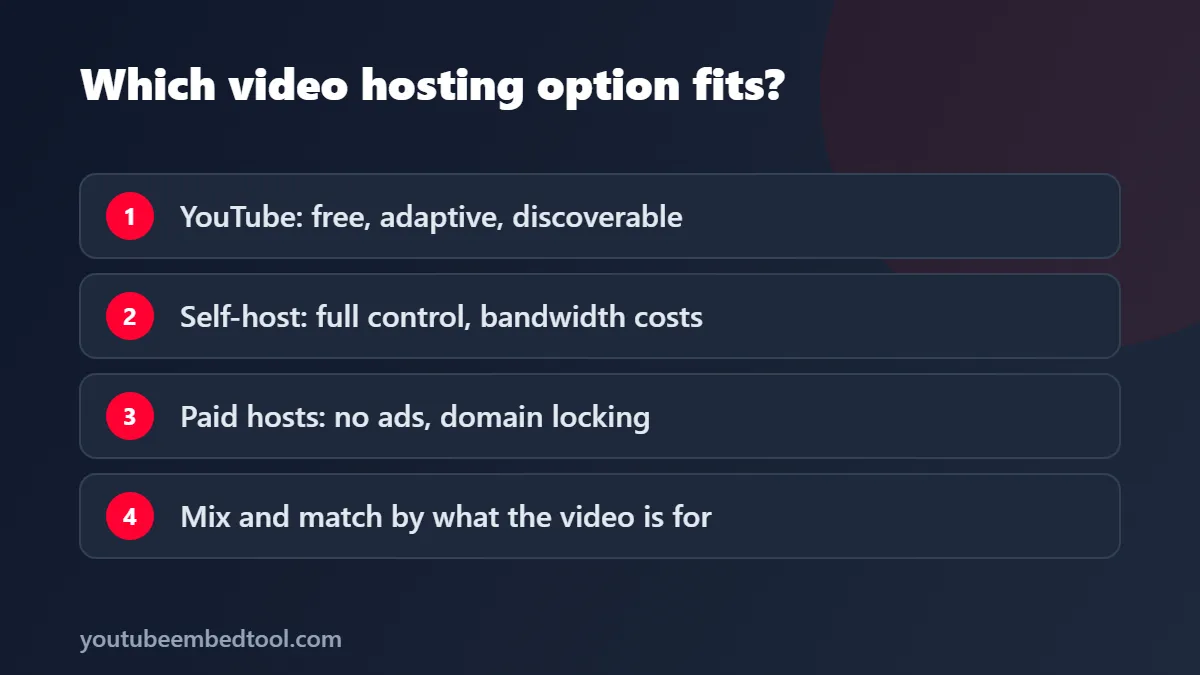
- Tutorials, reviews, vlogs, anything you'd like people to find: YouTube. Embed it on your site too, so it works in both places.
- Short silent background loops: self-host a small, compressed MP4.
- Paid courses, client work or sales pages where distractions cost money: a paid video host.
- Internal or confidential videos: a paid host with domain restrictions, or a private page on your own site. Unlisted YouTube videos aren't private, as we explain in Can you embed unlisted or private YouTube videos?
Plenty of sites mix and match. A YouTube tutorial on the blog, a self-hosted loop on the homepage and a paid host for the course area is a perfectly normal setup.
If you've landed on YouTube, our free embed code generator gives you clean, responsive embed code with the privacy-friendly domain and your chosen player options in a few clicks.
Frequently asked questions
Is it bad for SEO to embed YouTube videos instead of hosting them?
No. Search engines can understand both. A YouTube embed can even help, since the video can be found on YouTube as well as on your page. What matters most is that the page around the video is useful.
How much bandwidth does self-hosted video use?
Roughly the file size multiplied by the number of full views. A 100 MB video watched 10,000 times is about 1,000 GB of data.
Can I remove the YouTube logo from an embedded video?
Not completely. Older settings that hid the logo no longer work. If you need an unbranded player, use a paid video host or self-host the file.
What format should a self-hosted website video use?
MP4 with H.264 video plays in almost every browser. WebM is a good smaller extra version for modern browsers, listed first in the video tag.