How to Add a YouTube Video to a GitHub README (Markdown Guide)

If you've tried pasting a YouTube embed code into a GitHub README, you already know what happens: nothing. The iframe disappears, and your README shows an empty gap where your demo video should be.
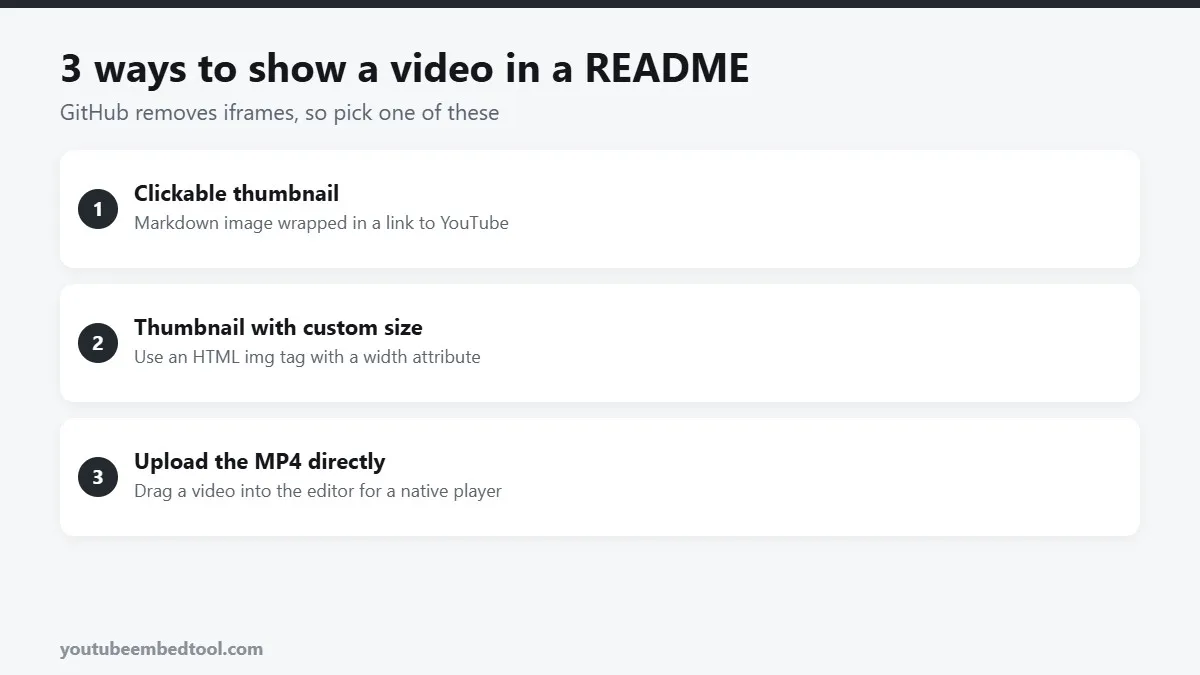
That's on purpose. GitHub sanitises the HTML in Markdown files and removes iframes and scripts, so nobody can run code on a repository page. The fix is a small Markdown trick that's become the standard way to show a video in a README.
The clickable thumbnail snippet
Copy this, then replace VIDEO_ID in both places:
[](https://www.youtube.com/watch?v=VIDEO_ID)Here's what it does:
shows the video's thumbnail as an image.- Wrapping it in
[ ... ](https://www.youtube.com/watch?v=...)turns that image into a link.
So readers see the video's thumbnail right in the README, and clicking it opens the video on YouTube.
The video ID is the 11-character code after v=. If your link is a youtu.be short link or a Shorts link, our Video ID Finder pulls the ID out for you. There's also a longer explainer in how to find any YouTube video ID.
Picking the right thumbnail size
YouTube stores several thumbnail sizes for every video. These are the ones worth knowing:
| File name | Size | Notes |
|---|---|---|
maxresdefault.jpg | 1280x720 | Sharpest, but missing on some older or low-res videos |
sddefault.jpg | 640x480 | Good fallback |
hqdefault.jpg | 480x360 | Always exists |
0.jpg | 480x360 | Same as hqdefault |
If maxresdefault.jpg shows a small grey placeholder instead of your thumbnail, switch to hqdefault.jpg. You can preview every size for a video with our Thumbnail Downloader before you choose.
Controlling the size
Markdown images always display at their natural size, up to the width of the page. To make the thumbnail smaller, use an HTML img tag. GitHub allows that, as long as it's not an iframe:
<a href="https://www.youtube.com/watch?v=VIDEO_ID">
  <img src="https://img.youtube.com/vi/VIDEO_ID/hqdefault.jpg" alt="Watch the demo" width="480">
</a>
You can also wrap it in <p align="center"> to centre it, which looks tidy at the top of a README.
Adding a play button
A bare thumbnail doesn't always look clickable. Two easy fixes:
- Make your own image. Download the thumbnail, add a play icon in any image editor, commit it to your repo (for example in a
docs/folder) and use that path in the snippet instead. - Say it in the alt text and caption. A line like "Click to watch the 2-minute demo" under the image does the job.
The other option: upload the video to GitHub
For short screen recordings, there's a native alternative. In the GitHub web editor (for a README, issue or pull request), you can drag an MP4 or MOV file straight into the text box. GitHub uploads it and inserts a link that renders as a real video player.
This works well for:
- 10 to 30 second demos of a feature.
- Bug reproductions in issues.
- UI changes in pull requests.
The limits: files must be fairly small (GitHub caps the size, and larger plans get more room), and it's not the place for a long tutorial. For anything more than a minute or two, YouTube is still the better home, because it handles streaming, quality switching and captions for you.
Animated GIF previews
Another popular approach is to put a short GIF of the app in the README, and link it to the full video on YouTube. Readers see movement immediately without clicking anything. Keep GIFs short and small (a few MB at most) or the README will be slow to load.
What about GitHub Pages and docs sites?
GitHub Pages is different. It's a real website, so a normal YouTube iframe works fine there. The same goes for docs tools built on top of Markdown, like Docusaurus, MkDocs or VitePress, which let you include HTML.
For those, generate a clean, responsive embed with our Embed Code Generator. If your docs site is built with React, our guide to embedding YouTube in React and Next.js has components you can drop straight in.
Copy-ready summary
For most READMEs, this one line is all you need:
[](https://www.youtube.com/watch?v=VIDEO_ID)Swap in your ID, commit, and your project has a video that works on every device.
Frequently asked questions
Can you embed a YouTube video in a GitHub README?
Not as a playable player. GitHub removes iframes from Markdown. Use a thumbnail image that links to the YouTube video instead.
What is the Markdown code for a YouTube video thumbnail?
Use [](https://www.youtube.com/watch?v=VIDEO_ID) and replace VIDEO_ID with your video's ID.
Why does my YouTube thumbnail show a grey image in my README?
The maxresdefault size does not exist for that video. Use hqdefault.jpg instead, which every video has.
Can I upload a video directly to a GitHub README?
Yes. In the GitHub web editor you can drag a small MP4 or MOV file into the text box and GitHub will show it as a video player.