YouTube Collaborative Playlists: New Sharing & AI Covers
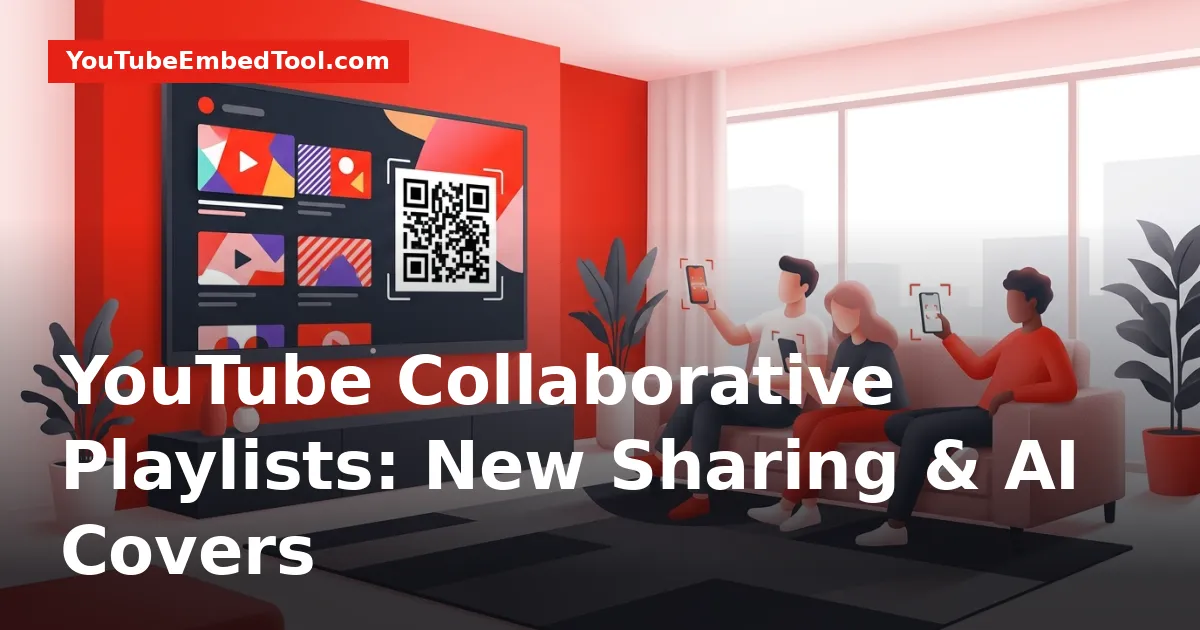
YouTube collaborative playlists allow multiple users to build, organize, and manage video and music collections together using shareable invite links and smart TV QR codes. The platform upgrade also brings custom cover artwork creation and an upcoming video voting feature directly to playlists. These tools work across mobile devices, web browsers, smart TVs, and YouTube Music.
Announced by Matthew Darby, Director of Product Management at YouTube, this update modernizes how audiences share media collections. Whether you are assembling a road trip soundtrack, building a watch party queue, or gathering community submissions for a channel series, collaborative playlists make group curation straightforward.
What Changed with YouTube Collaborative Playlists
Playlists have long been a core part of YouTube, but gathering recommendations from multiple people previously required tedious link sharing or manual editing by a single account owner. Under the updated system, YouTube collaborative playlists turn standard video lists into interactive spaces for friends, family, and online communities.
Key additions included in this platform rollout:
- Shareable Invite Links: Playlist owners can generate a direct link to invite anyone to add videos.
- Connected TV QR Codes: Smart TV and streaming device viewers can scan an on-screen QR code to join a playlist instantly.
- Custom Cover Artwork: Users can create custom thumbnails using camera roll photos or generate artwork using built-in generative tools.
- Community Voting: An upcoming feature designed to let contributors vote on and rank videos inside the shared playlist.
- Achievement Badges: New milestones in the mobile app's 'You' tab honoring platform engagement.
This update is part of a broader set of platform improvements rolled out across the YouTube ecosystem, similar to recent functional upgrades covered in our YouTube News section, such as the YouTube sleep timer and player updates.
How to Invite Collaborators via Links and QR Codes
Inviting contributors to a playlist works across desktop, mobile devices, and living-room screens. Collaborators can contribute songs on YouTube Music or video entries on main YouTube without needing complex permissions.
Method 1: Using an Invite Link on Mobile or Desktop
- Open your playlist on the YouTube mobile app or desktop browser.
- Tap the collaboration icon or select the option to invite contributors.
- Copy the generated invite link.
- Send the link to friends, family, or your channel audience via message, email, or community posts.
- Once recipients accept the invitation, they can immediately begin adding their favorite videos.
Method 2: Scanning a QR Code on Smart TVs
Joining a playlist while watching on a smart TV or connected TV device is even faster. Instead of typing lengthy URLs or searching manually on a mobile keyboard, users can connect through their screen:
- Open the collaborative playlist on the YouTube smart TV app.
- Display the on-screen collaboration QR code.
- Have guests or viewers scan the code using their smartphone camera.
- Collaborators are instantly directed to the playlist on their phones, where they can append tracks or clips to the active queue.
This QR workflow is particularly useful for living-room gatherings, parties, and family movie nights where multiple people want to queue up content without handing a single remote around.
Customizing Playlist Covers and Thumbnails
Alongside collaborative curation, YouTube introduced a visual redesign for playlist covers. Playlists are no longer locked to displaying the thumbnail of the first video in the list. Users can now craft unique artwork to give their compilations a distinct visual identity.
Mobile Camera Roll Customization
Users can upload images directly from their mobile camera roll to serve as the playlist thumbnail. The app includes native editing options, allowing curators to personalize the cover with:
- Custom text overlays
- Image filters to match the mood of the collection
- Decorative stickers
If you ever want to inspect or back up existing video graphics before designing your own cover, you can use our free YouTube Thumbnail Downloader to grab image assets in their original resolution.
Generating Artwork with Built-In Tools
For curators who prefer not to use personal photos, YouTube added a creative generation option:
- Open the playlist settings and select the cover editing option.
- Tap Create with AI.
- Choose a preferred artistic theme from the provided styles.
- Select your favorite generated thumbnail design to set it as the public cover.
This feature ensures that private mixes, study playlists, and community compilations can look polished even if you do not have graphic design software.
Community Voting and Engagement Badges
To make shared playlists more interactive, YouTube confirmed a built-in community voting system. This feature allows participants to vote on and rank videos directly within a collaborative playlist.
Community voting introduces several practical use cases:
- Party Lineups: Groups can vote up favorite music tracks to establish the order of a party playlist.
- Audience Polls: Video creators can invite subscribers to drop recommendations into a playlist and vote on which topics or clips should be reviewed next.
- Group Tournaments: Communities can rank entries collaboratively to determine top highlights.
| Feature | Supported Platforms | Primary Benefit |
|---|---|---|
| Invite Links | Mobile, Desktop, YouTube Music | Quick link sharing across messaging apps |
| TV QR Codes | Smart TVs, Connected TV apps | Frictionless room-scale collaboration |
| Camera Roll Covers | Mobile App | Personal photo customization with stickers & text |
| Generative Covers | Mobile App, Web | Instant theme-based thumbnail design |
| Video Voting | Mobile, Web (rolling out) | Democratic ranking of videos in shared queues |
In addition to playlist curation, YouTube added achievement badges inside the 'You' tab. These badges recognize platform milestones, such as being an early paid member of a creator's channel or qualifying as a top listener on YouTube Music. These badges offer a structured way to highlight long-term engagement across the platform.
Who These Changes Affect
The playlist overhaul benefits three distinct groups across the YouTube ecosystem:
- Everyday Viewers and Friends: Planning road trips, party queues, or shared study playlists no longer requires sharing account logins or sending individual video links back and forth.
- Smart TV Audiences: The ability to scan a QR code on a television screen eliminates the friction of group media queuing in shared spaces.
- Content Creators: Channels can leverage collaborative playlists to source community submissions, run fan polls, and build deeper connections with viewers. If you enjoy exploring hidden platform workflows, check out our guide on 9 hidden YouTube features most people never use.
What to Do Next
To start using the collaborative features:
- Update Your Apps: Ensure your YouTube and YouTube Music apps on iOS, Android, and smart TVs are running the latest version.
- Create a Test Playlist: Set up a new playlist, generate an invite link, and share it with a friend or colleague to test the real-time addition of videos.
- Try Custom Covers: Tap into your playlist settings on mobile to experiment with camera roll images or generate artwork using the 'Create with AI' option.
- Check Your 'You' Tab: Visit the profile area in the mobile app to see if you have unlocked any new achievement badges for channel memberships or listening milestones.
Frequently asked questions
How do you invite someone to a YouTube collaborative playlist?
Open your playlist on mobile or desktop, select the collaboration option, and copy the shareable invite link. If you are using a smart TV, you can display an on-screen QR code that collaborators can scan with their phone camera to join.
Can anyone with the link delete videos from my collaborative playlist?
Collaborators can add videos to the collection, but playlist ownership remains with the creator, who retains administrative control over the overall playlist settings and video entries.
Where do I find the new achievement badges on YouTube?
Achievement badges are located in the 'You' tab within the YouTube mobile app, displaying platform milestones such as being an early paid channel member or a top listener on YouTube Music.
How do custom playlist covers work on YouTube?
You can upload an image from your mobile camera roll and customize it with text, stickers, and filters, or tap 'Create with AI' to generate a cover design based on selected artistic themes.